OBS Control for Church Livestream Teams
DeckPilot gives church production teams a simple way to control OBS scenes, mute audio, run quick stream actions, and manage livestream workflows from a phone or tablet.
Why Church Teams Need Simple OBS Control
Church livestream teams often rely on volunteers, fast handoffs, and repeatable service workflows. That makes simplicity more important than feature overload.
A church OBS controller needs to be easy to learn, easy to trust, and fast to use during worship services, announcements, and sermon transitions.
What DeckPilot Helps Church Teams Do
- Switch scenes during worship, sermon, and announcement segments
- Mute or unmute audio sources without opening the OBS mixer
- Trigger quick stream actions from a volunteer-friendly interface
- Keep a phone or tablet available as a mobile production tool
Volunteer-Friendly Workflows
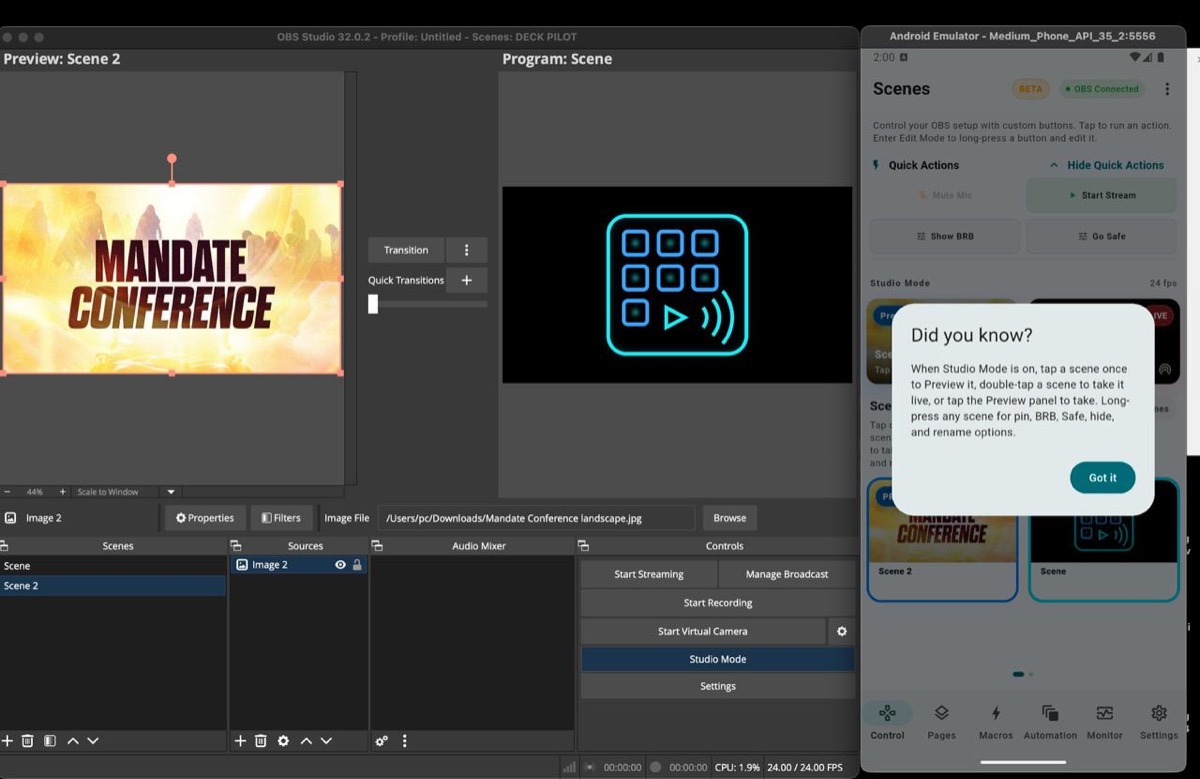
DeckPilot works well for church production OBS tools because the layout can focus on the actions volunteers actually use during a service: scene switching, audio mute control, and quick start or stop actions.
That makes it useful as a church stream deck alternative when the team wants portable control without dedicated hardware.
Recommended Setup for Church Livestream Production
- 1Install DeckPilot on a dedicated phone or tablet used by the production team.
- 2Enable OBS WebSocket on the church streaming computer.
- 3Connect the device on the same local network as the OBS machine.
- 4Set up the layout around service scenes, microphone controls, and key stream actions.
To see the commercial page, go to DeckPilot. To compare mobile control with other setups, see the Stream Deck alternative page.
Related Resources
Explore more pages about OBS control, mobile production workflows, and livestream operations.
DeckPilot product page
See the main product page with features, FAQ, and download details for church production teams.
Read pageOBS controller page
Learn how mobile OBS control works for scenes, audio, macros, and stream monitoring.
Read pageOBS tools for churches guide
Read the educational guide covering volunteer workflows, setup decisions, and church livestream needs.
Read pageSimplify Church Livestream OBS Control
Use DeckPilot to give volunteers a clear interface for scene changes, audio control, and quick livestream actions during services.